Vehicle Mapping Quality Enhancement
As Known as 'Add Vehicle'
”My Father doesn’t know how to add his car.”
“Okay I downloaded it. But what is VIN?”
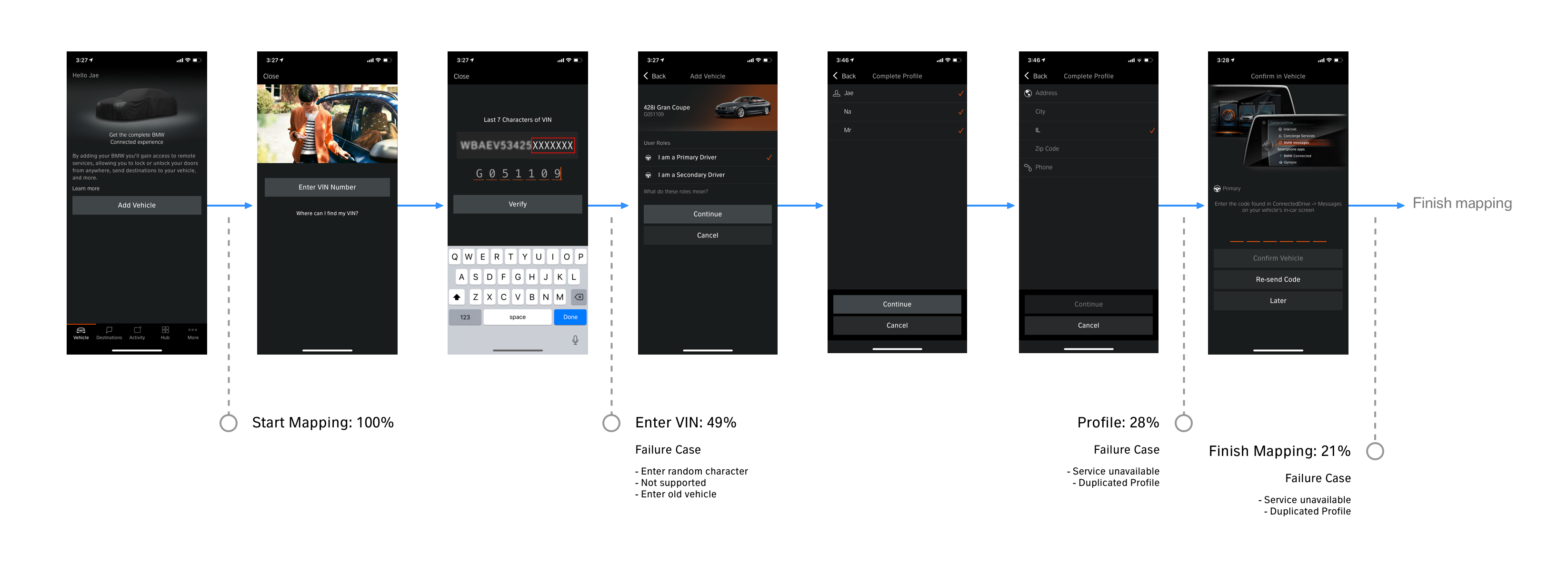
Adding Vehicle to the app (AKA Vehicle Mapping) is one of the most important parts of the app. But a lot of users have had problems with this function. In North America, only 21% of users successfully add their BMW. In iOS V10.7 we had an opportunity to fix this issue.
What do we want to fix in V10.7?
- Provide better guidance for finding VIN
- Remove Long VIN flow
- Move Profile outside of vehicle mapping
- Automatic role selection (Primary/Secondary) Better copy
- Allow adding not mappable vehicle (e.g. Mini)
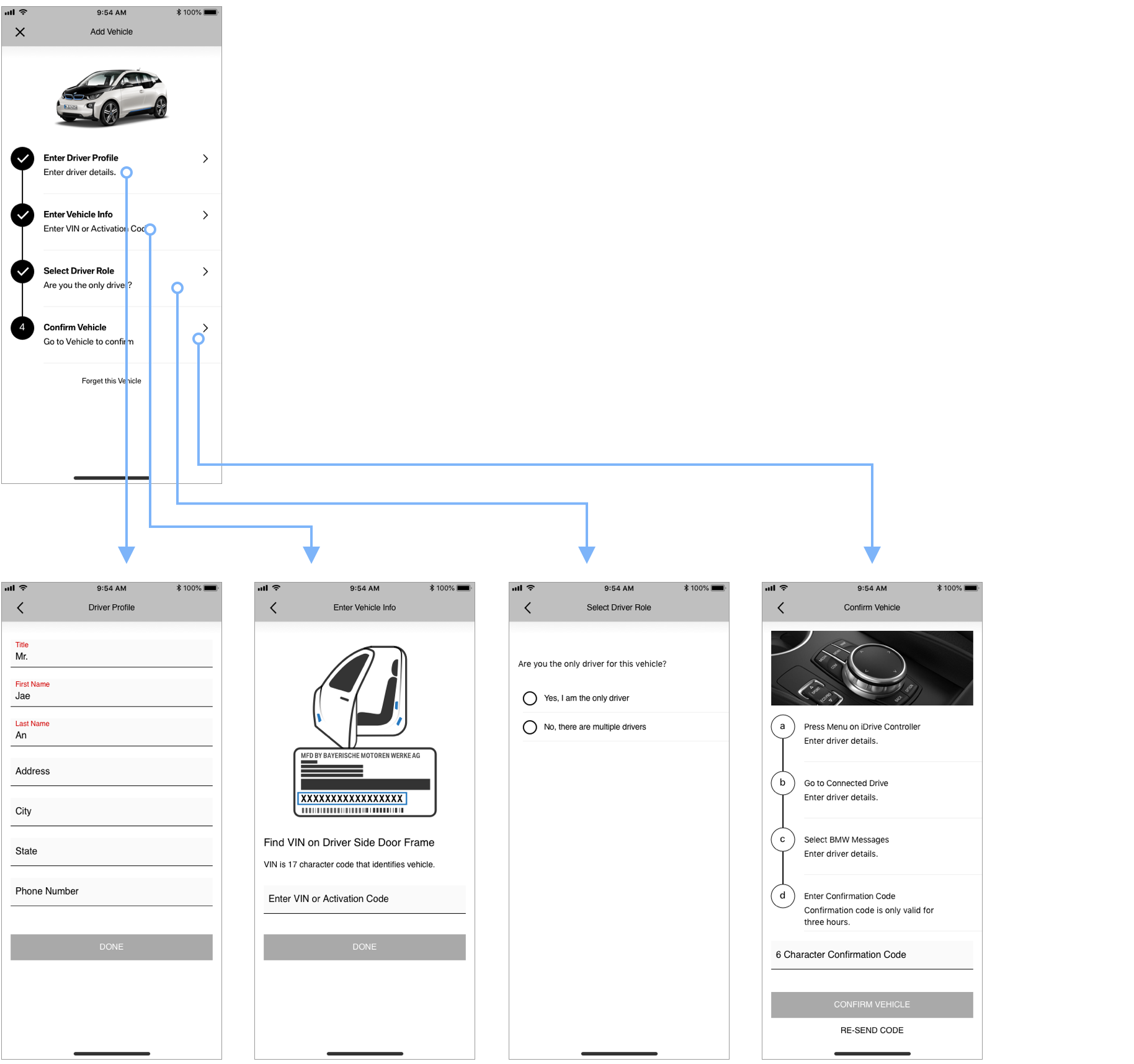
1. Overall Flow
Try Prototype
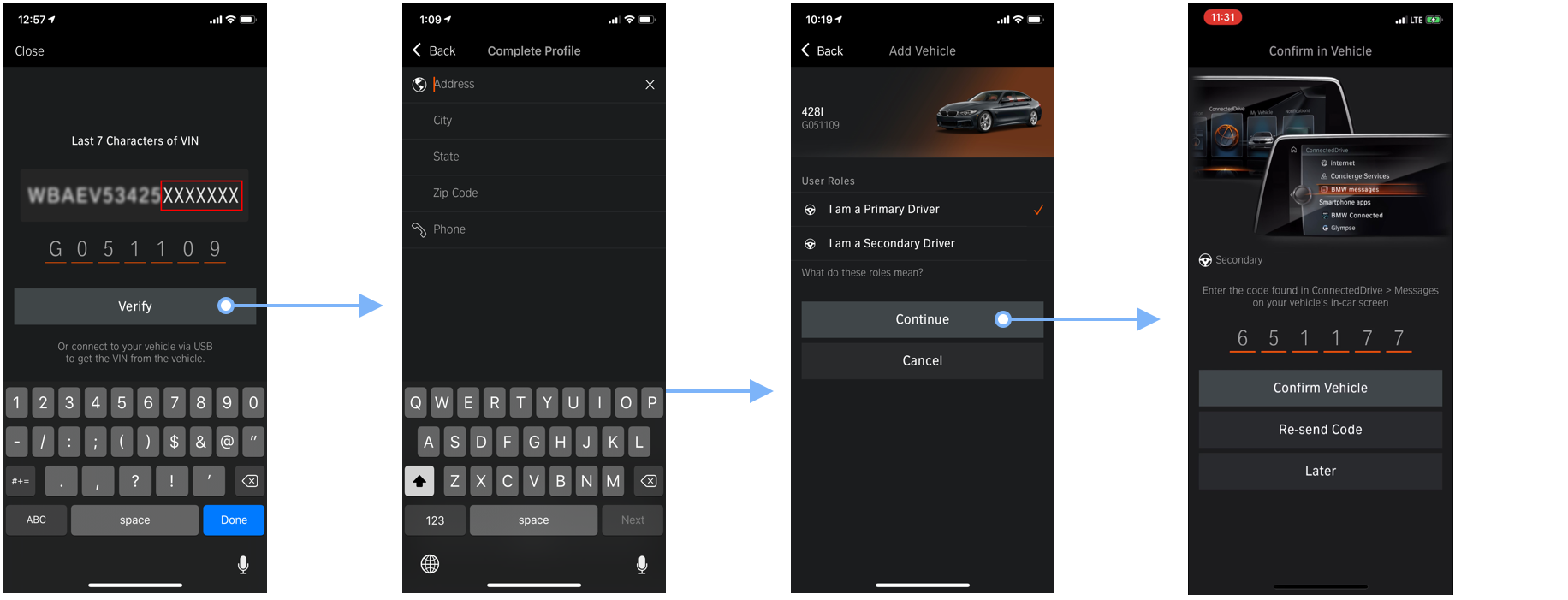
Before V10.7
- Each step takes 10-30 seconds to confirm input (requires network call) If user quit the process, user must start over entire process.
New UX
- Provide centralized flow
- User can come back to the last step they did
- Show progress of the process
1. Enter VIN
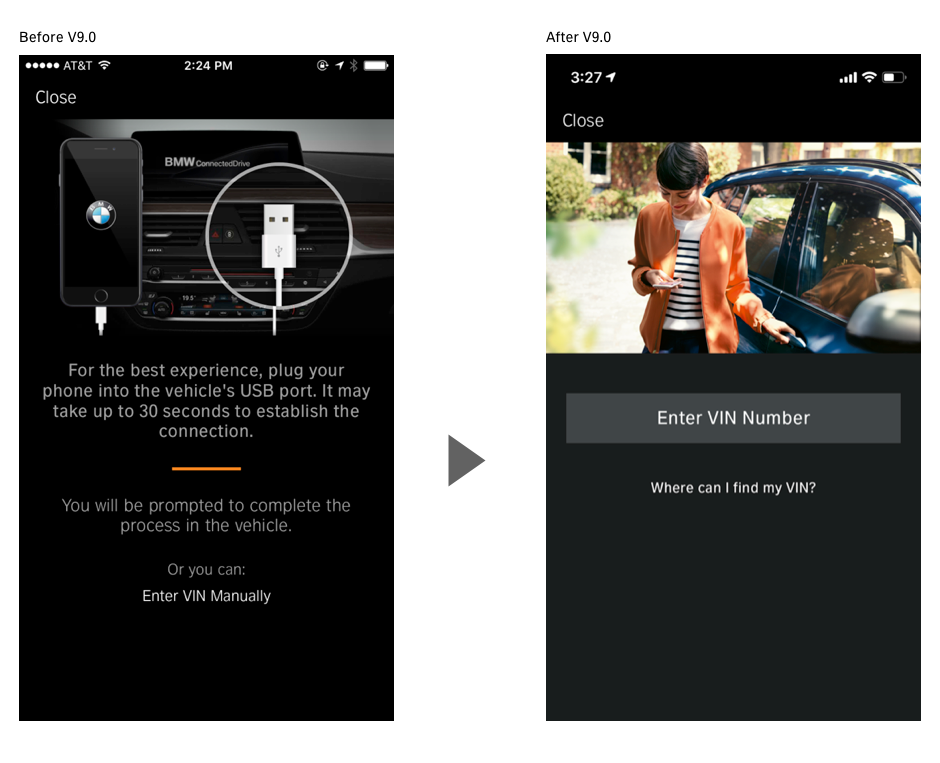
Before V10.7
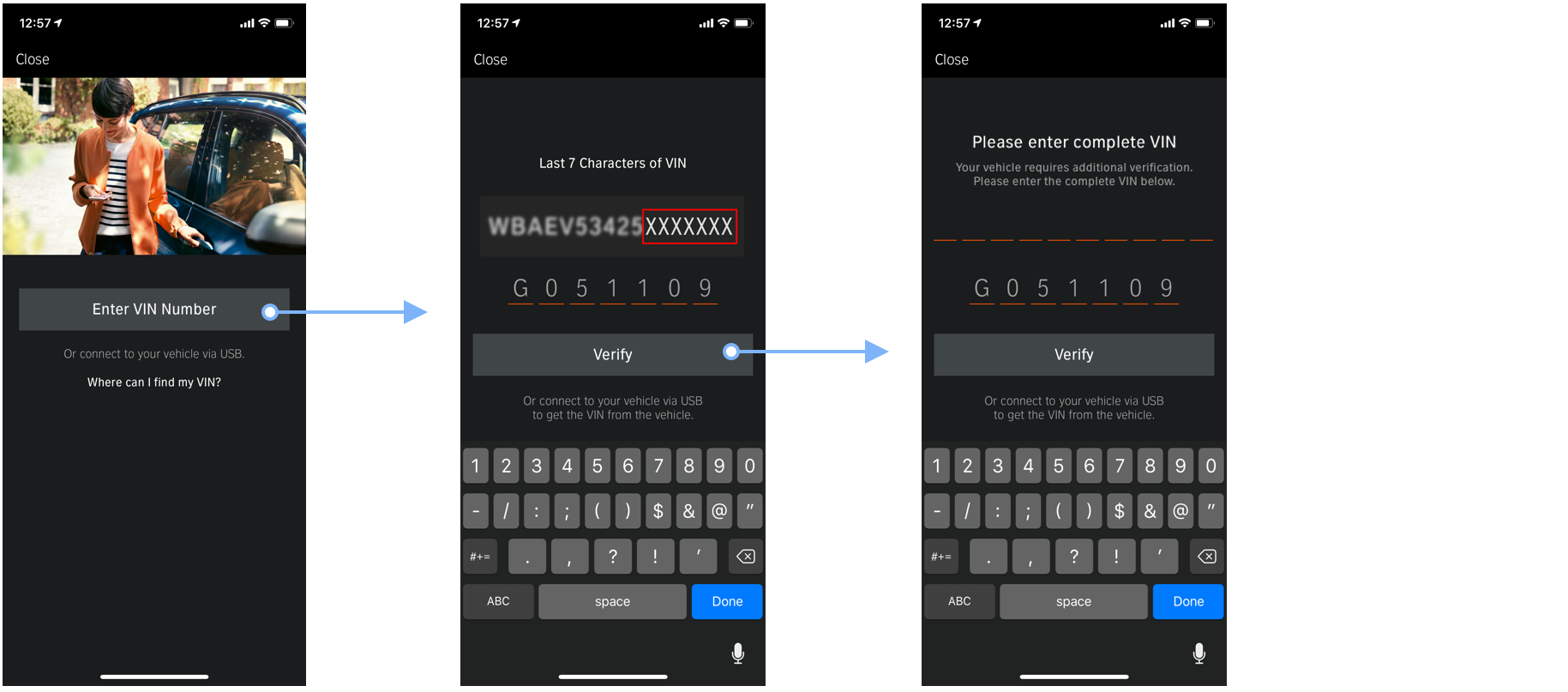
- Not clear where VIN is
- Not clear how VIN looks like
- The image doesn’t have value
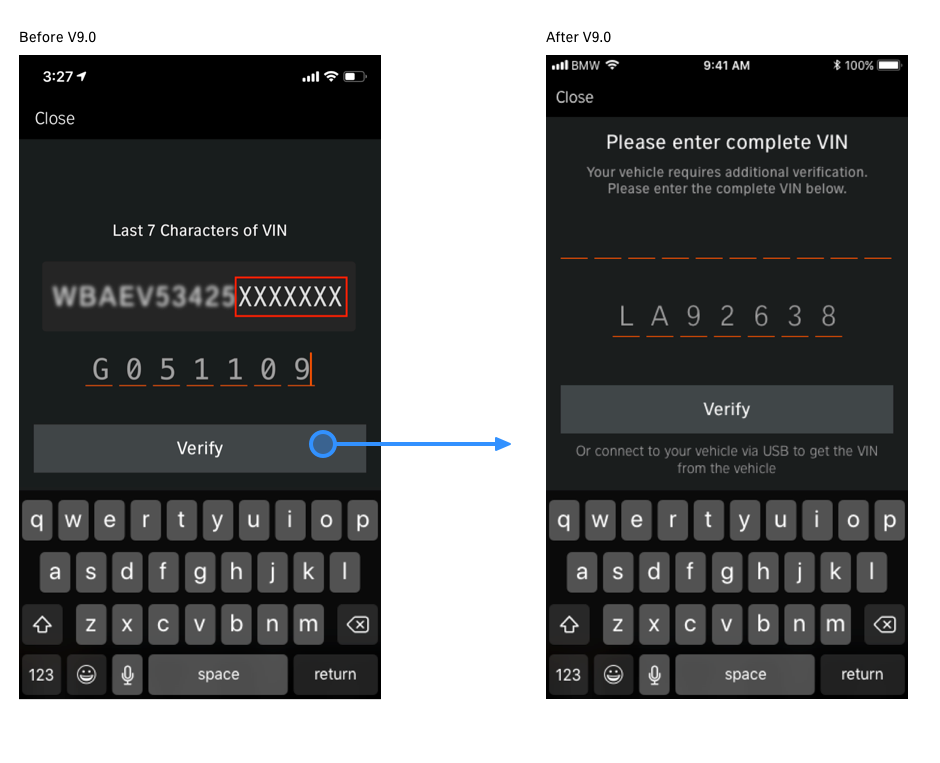
- If 7-character VIN is not unique, ask 17-character VIN
- Enter last 7-character VIN requires the same amount or more cognitive load with entering 17-character VIN
New UX
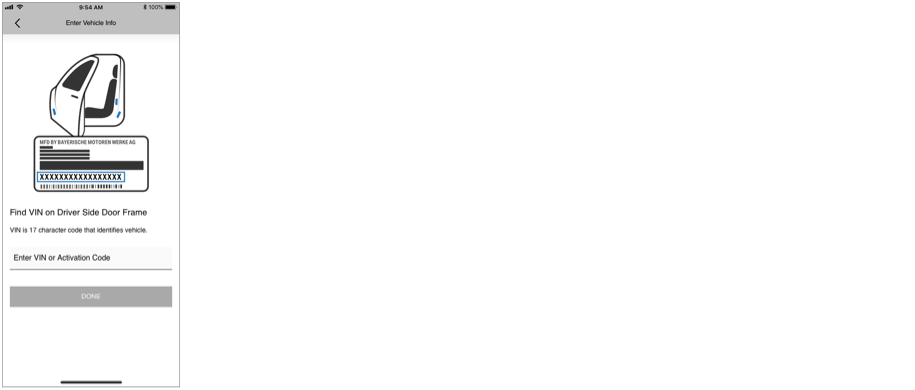
- Show where to find VIN
- Show how VIN label looks like
- Enter 17-character VIN
2. Role Selection
Before V10.7
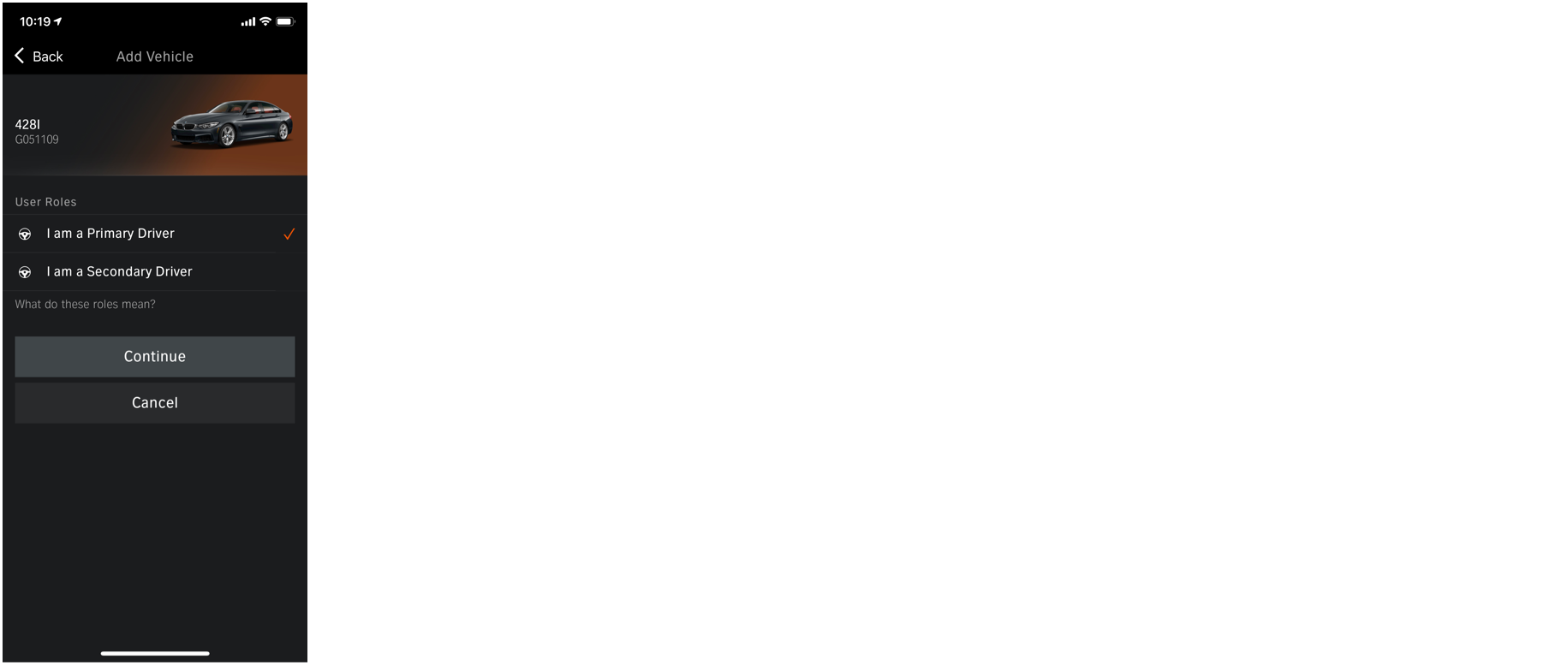
- Not clear difference between 'Primary Driver' and 'Secondary Driver'
- If user select ‘Primary Driver’, other user who has this vehicle will lose it from the account
New UX
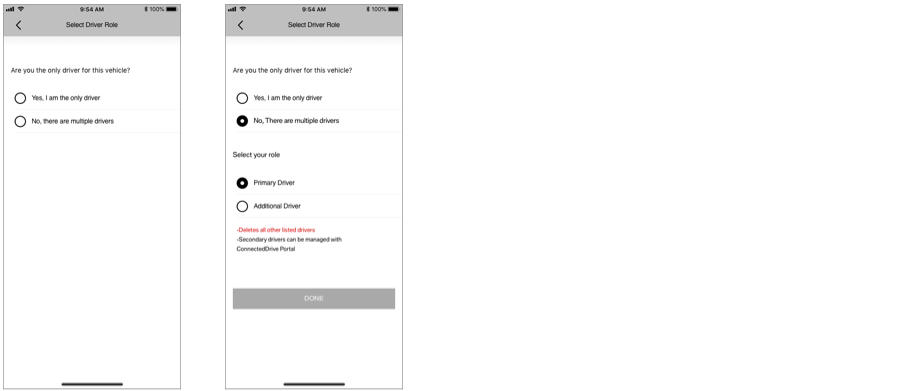
- Ask if user is the only driver of the vehicle
- Show warning message to user if user selected ‘Primary Driver’
3. Confirmation
Before V10.7
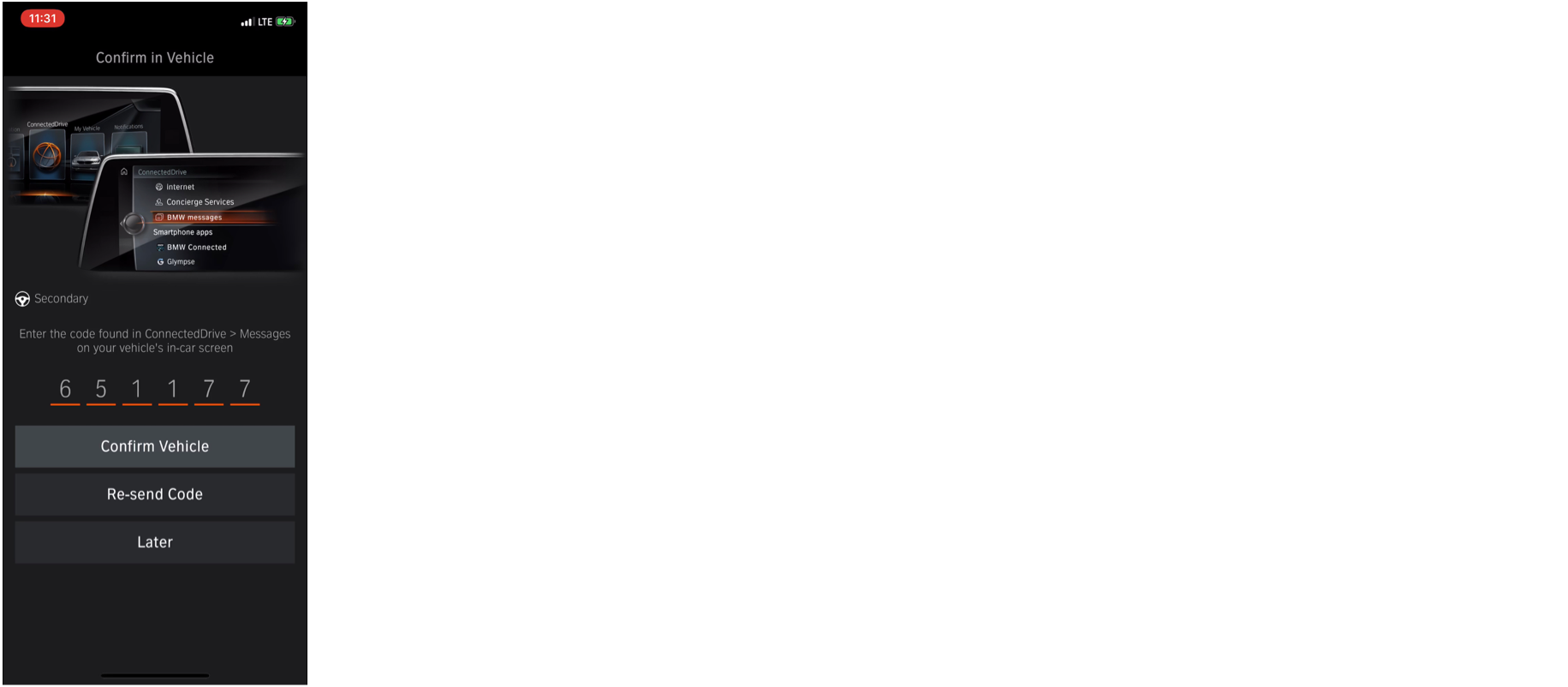
- Not clear how to find the confirmation code
New UX
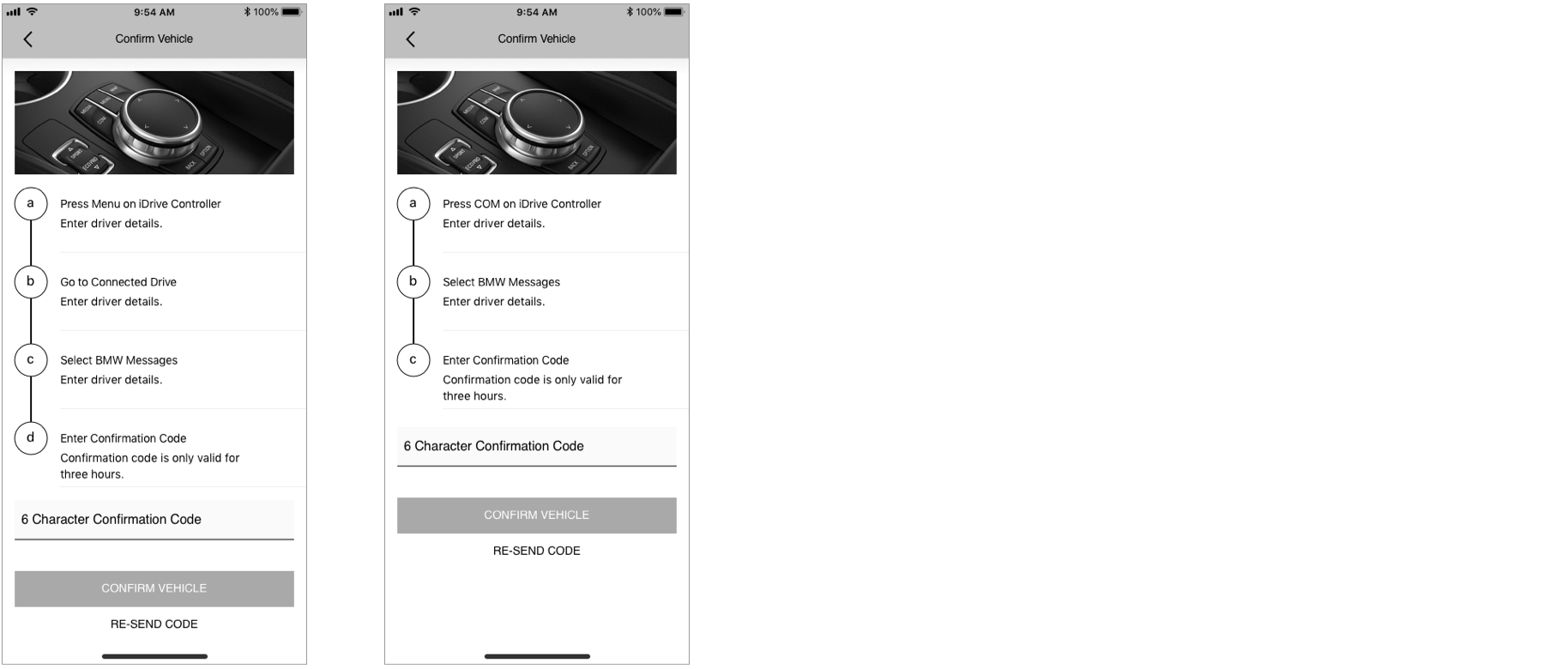
- Provide step by step guidance depends on vehicle type
Vehicle Mapping Wireframe_V10.7
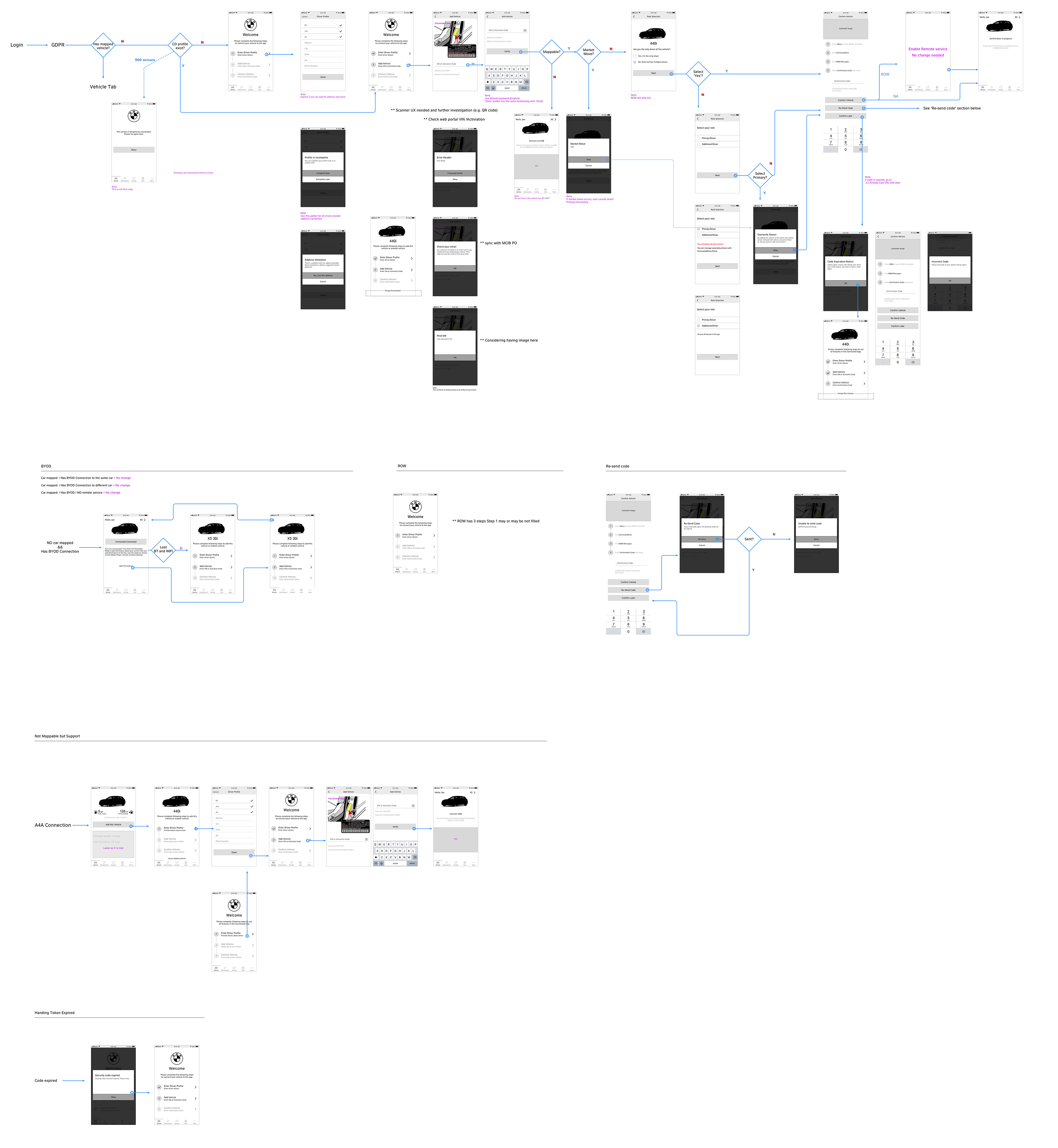
Background
This section has information that effects on my decision making.
Vehicle Mapping Experience before V10.7
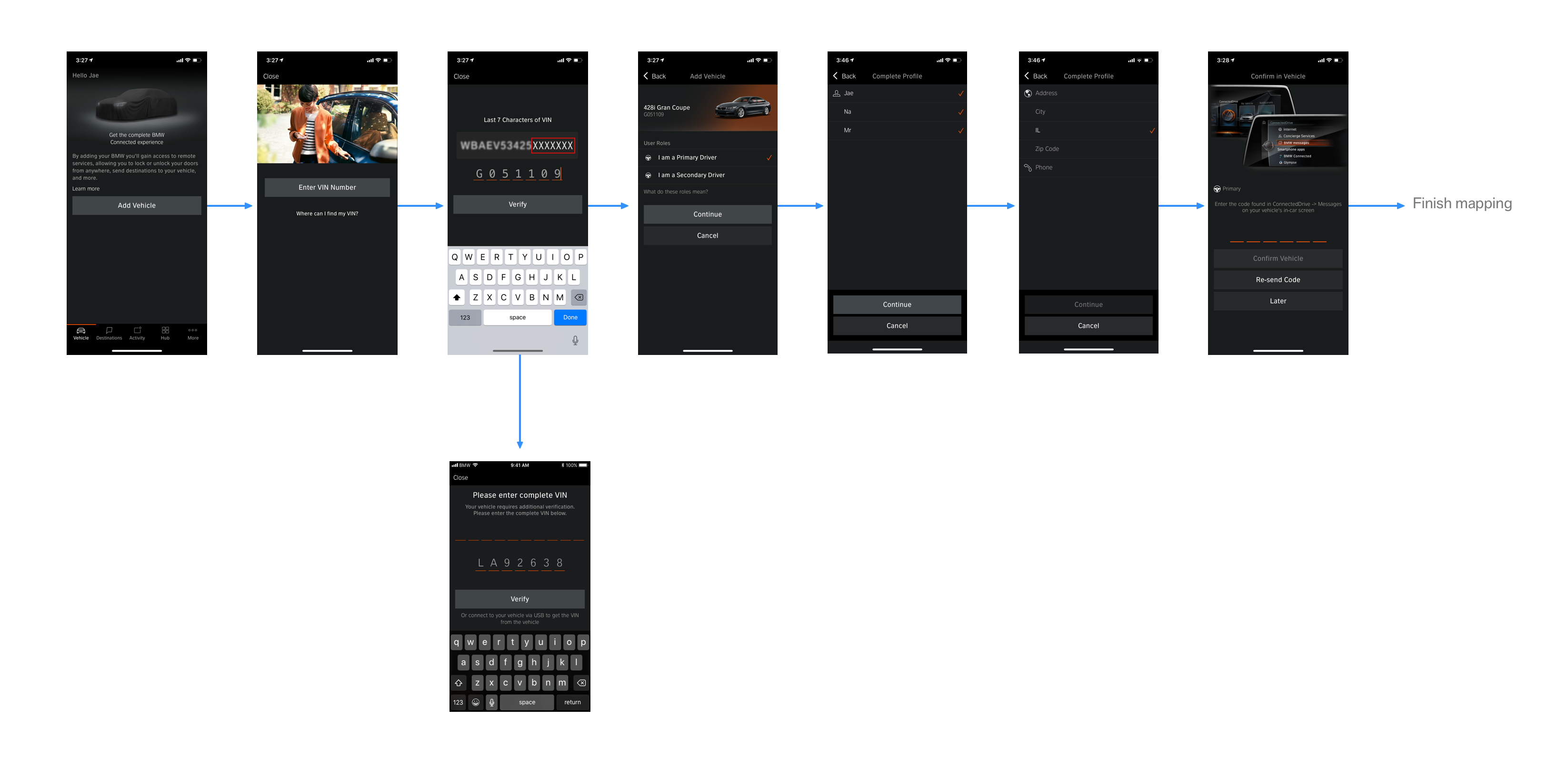
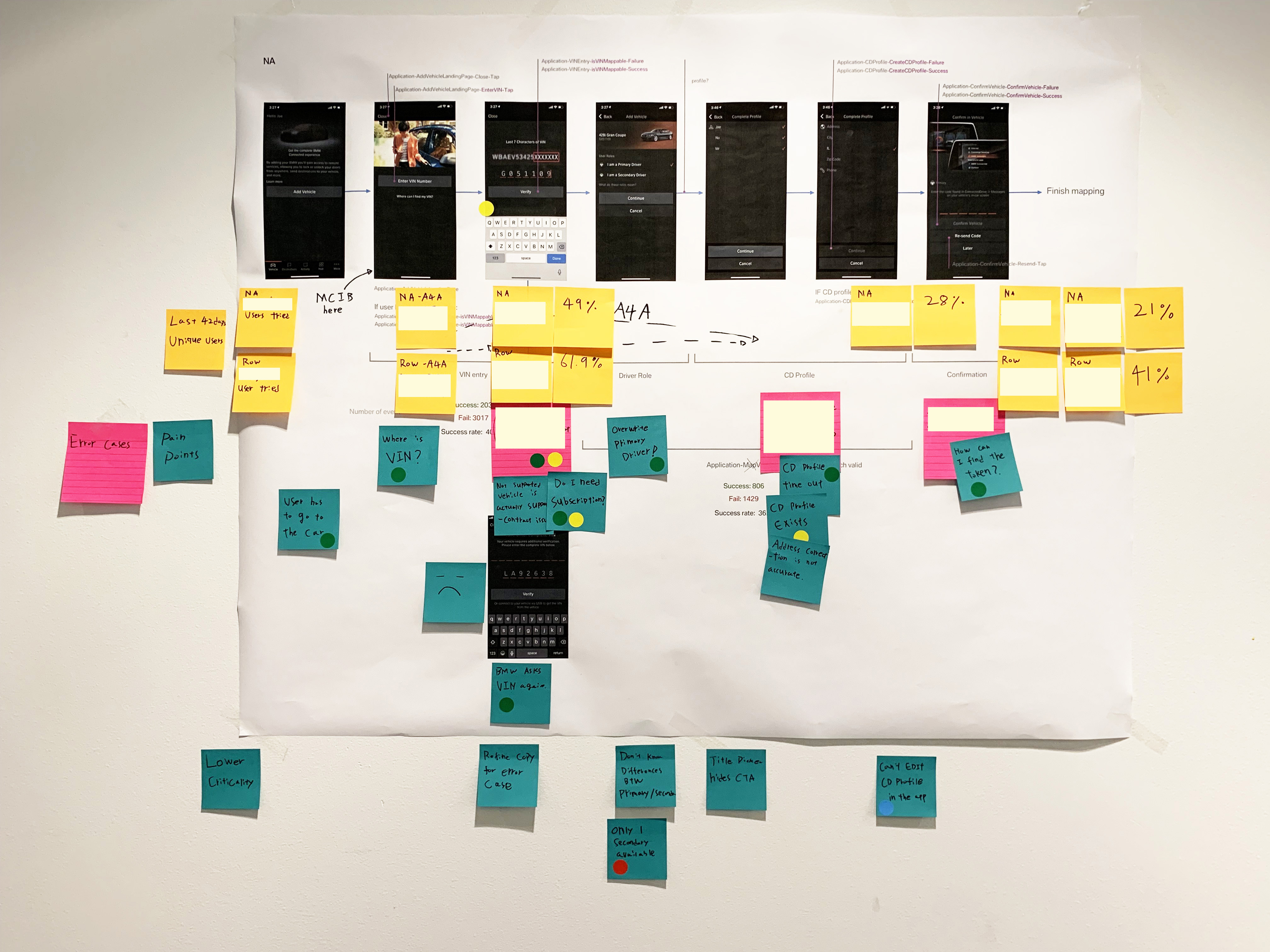
Success Rate and Pain points (42 days unique users, NA)
Usability Testing 1
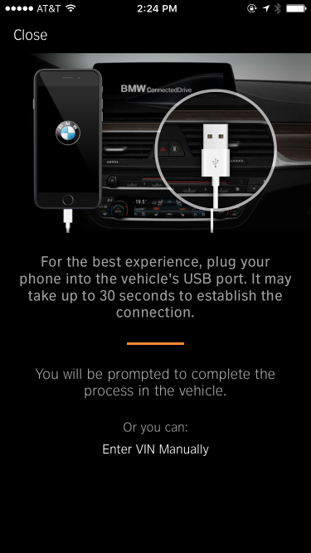
- Most users took their cue from the image (6/9)
- It doesn’t specify which USB port they need to use
- Users chose the port they typically use in their car
Usability Testing 2
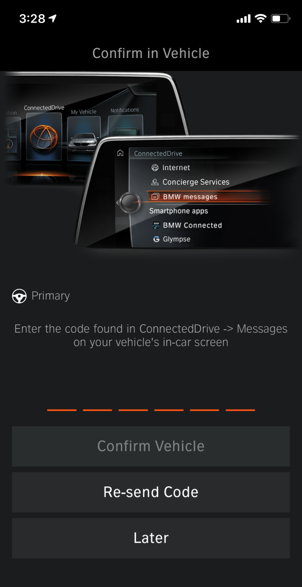
- Many had difficulty finding the messages in the car/headunit.
- The structure in the head unit makes it hard to find the messages – especially for unfamiliar users.
- They look at the picture on the app to find it in the head unit.
- If they don’t find the message right away, they often resend the code from the app > This generates multiple messages, which can cause additional difficulty later.
Primary/Secondary Driver
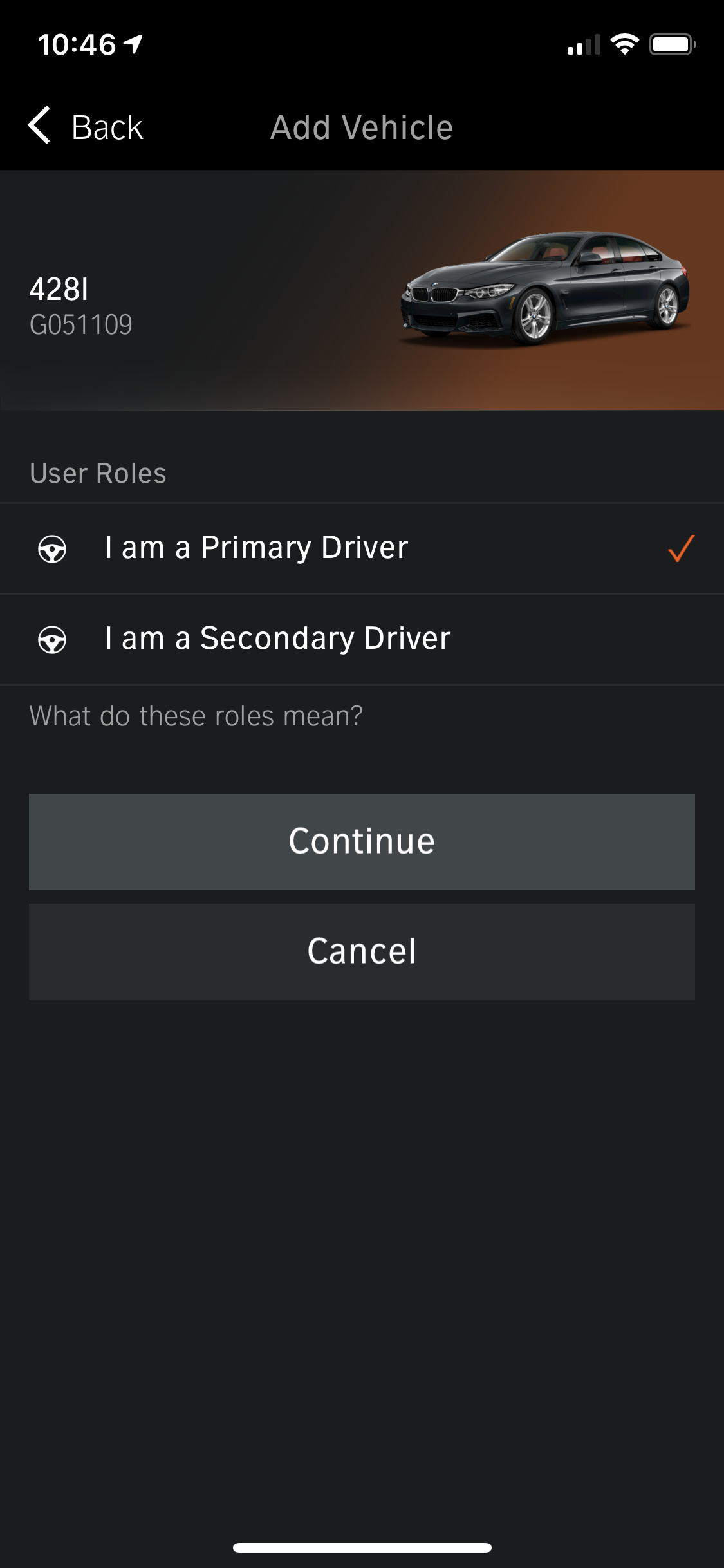
- Users often overwrite others cars
- They don't know difference between Primary / Secondary drivers
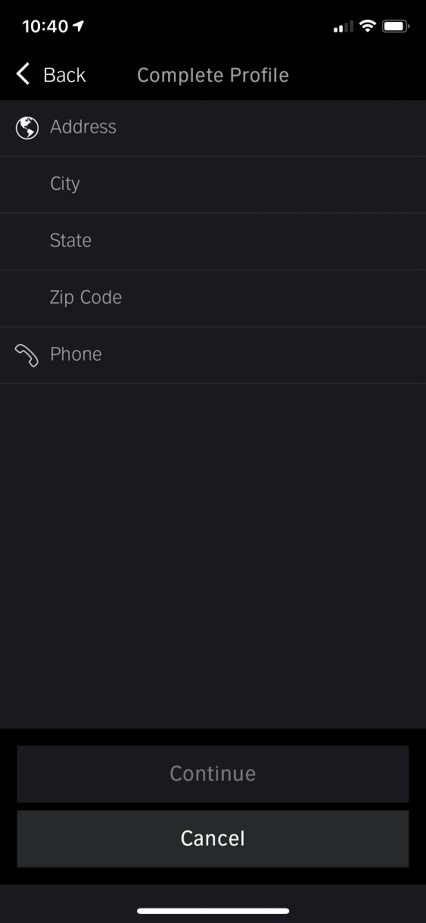
Driver Profile Technical Issue
- Continue button on this page make 3 network calls
- Backend is often down
- If one of them fails, user has to start over
New X5 (ID7) Launched
- Can’t use USB to get VIN, so user has to enter VIN manually
Running out of unique short VIN
- We need to ask user enter 17 character VIN after they enter last 7 character VIN
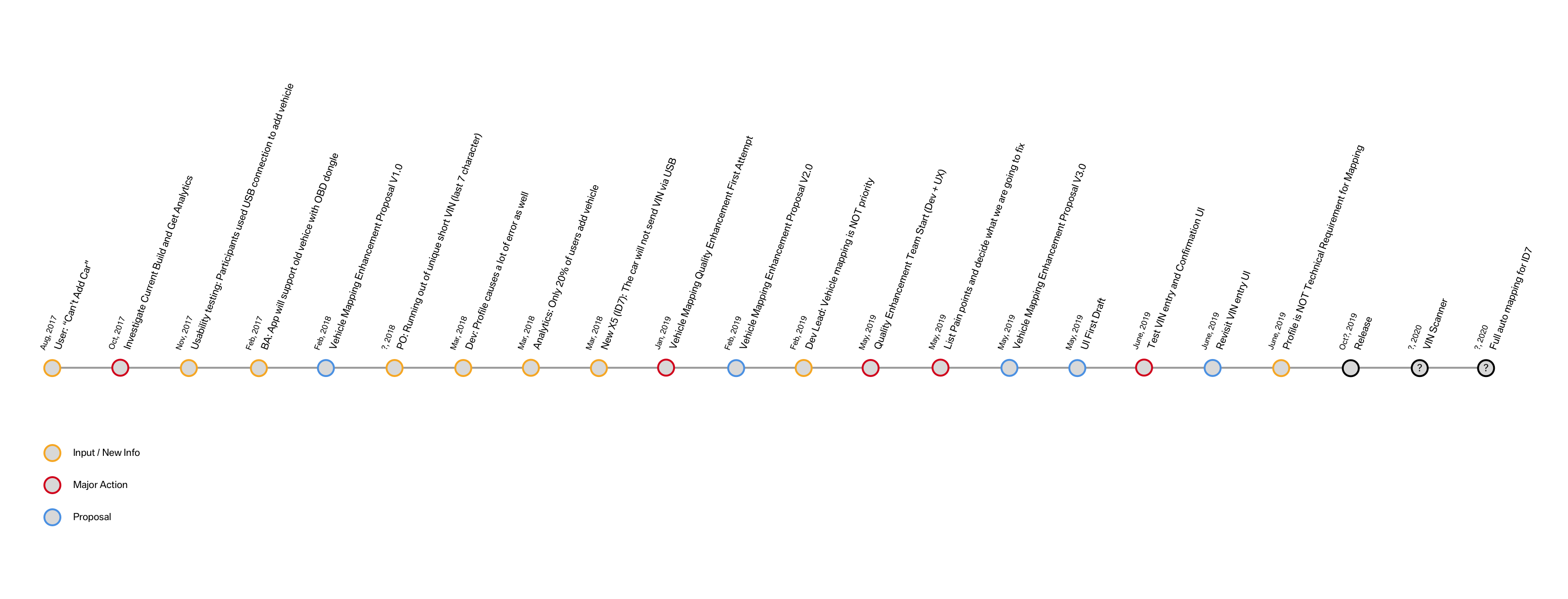
Time Line